
Spring Boot + MinIO + Docker 快速入门
MinIO 是一个基于 Apache License v2.0 开源协议的对象存储服务,兼容亚马逊 S3 云存储服务接口,非常适合存储大容量非结构化数据,例如图片、视频、日志文件、备份数据和容器/虚拟机镜像等,单个对象文件可以从几 KB 到最大 5TB 不等。
MinIO 是一个非常轻量的服务,可以很简单地和其他应用结合,类似 NodeJS、Redis 或者 MySQL。它提供了非常方便、友好的界面,文档也非常丰富。
环境搭建:Docker 部署 MinIO
使用 docker 镜像快速搭建:
1docker pull minio/minio
使用 docker-compose.yml:
 1version: '3'
 2services:
 3  minio:
 4    image: minio/minio:latest
 5    container_name: minio
 6    environment:
 7      MINIO_ACCESS_KEY: AKIAIOSFODNN7EXAMPLE
 8      MINIO_SECRET_KEY: wJalrXUtnFEMI/K7MDENG/bPxRfiCYEXAMPLEKEY
 9    volumes:
10      - /mnt/data:/data
11      - /mnt/config:/root/.minio
12    ports:
13      - 9000:9000
14    command: server /data
15    healthcheck:
16      test: ["CMD", "curl", "-f", "http://localhost:9000/minio/health/live"]
17      interval: 30s
18      timeout: 20s
19      retries: 3
说明:示例中的 ACCESS_KEY / SECRET_KEY 是文档演示用的占位值,生产环境请换成自己的强随机密钥。
启动:
1docker-compose up -d
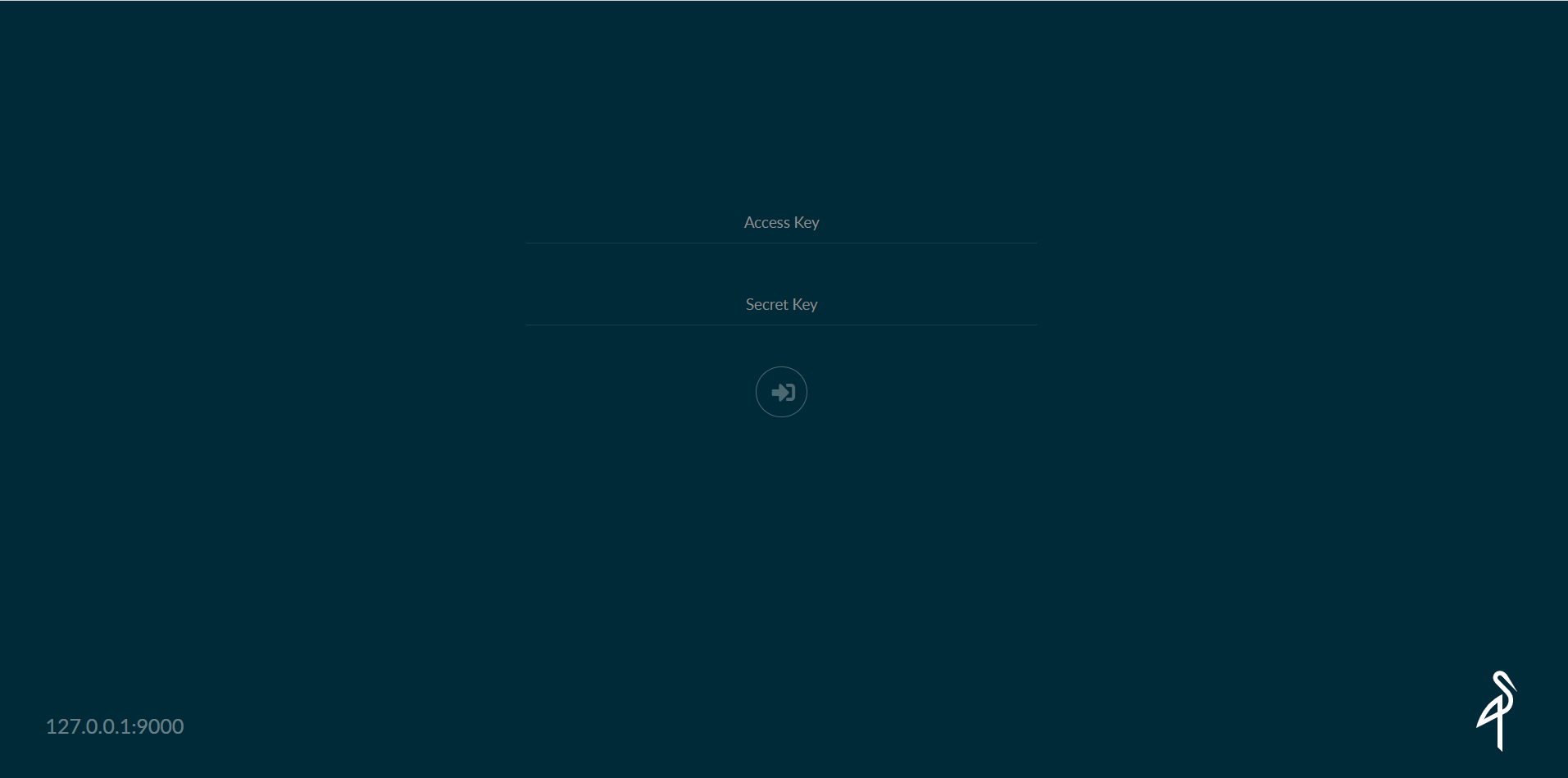
登录管理页面,输入 MINIO_ACCESS_KEY 和 MINIO_SECRET_KEY:
http://127.0.0.1:9000/minio/login

Spring Boot 集成
添加依赖
 1<?xml version="1.0" encoding="UTF-8"?>
 2<project xmlns="http://maven.apache.org/POM/4.0.0" xmlns:xsi="http://www.w3.org/2001/XMLSchema-instance"
 3         xsi:schemaLocation="http://maven.apache.org/POM/4.0.0 https://maven.apache.org/xsd/maven-4.0.0.xsd">
 4    <modelVersion>4.0.0</modelVersion>
 5    <parent>
 6        <groupId>org.springframework.boot</groupId>
 7        <artifactId>spring-boot-starter-parent</artifactId>
 8        <version>2.1.15.RELEASE</version>
 9        <relativePath/> <!-- lookup parent from repository -->
10    </parent>
11    <groupId>com.example</groupId>
12    <artifactId>minio</artifactId>
13    <version>0.0.1-SNAPSHOT</version>
14    <name>minio</name>
15    <description>Demo project for Spring Boot</description>
16
17    <properties>
18        <java.version>11</java.version>
19    </properties>
20
21    <dependencies>
22        <dependency>
23            <groupId>org.springframework.boot</groupId>
24            <artifactId>spring-boot-starter-web</artifactId>
25        </dependency>
26        <dependency>
27            <groupId>org.springframework.boot</groupId>
28            <artifactId>spring-boot-configuration-processor</artifactId>
29        </dependency>
30        <dependency>
31            <groupId>io.minio</groupId>
32            <artifactId>minio</artifactId>
33            <version>3.0.10</version>
34        </dependency>
35        <dependency>
36            <groupId>org.iherus</groupId>
37            <artifactId>qrext4j</artifactId>
38            <version>1.3.1</version>
39        </dependency>
40        <dependency>
41            <groupId>org.springframework.boot</groupId>
42            <artifactId>spring-boot-starter-test</artifactId>
43            <scope>test</scope>
44        </dependency>
45    </dependencies>
46
47    <build>
48        <plugins>
49            <plugin>
50                <groupId>org.springframework.boot</groupId>
51                <artifactId>spring-boot-maven-plugin</artifactId>
52            </plugin>
53        </plugins>
54    </build>
55
56</project>
配置属性类
 1import org.springframework.boot.context.properties.ConfigurationProperties;
 2import org.springframework.stereotype.Component;
 3
 4/**
 5 * 配置属性
 6 */
 7@Component
 8@ConfigurationProperties(prefix = "minio")
 9public class MinioProperties {
10    /**
11     * 对象存储服务的URL
12     */
13    private String endpoint;
14    /**
15     * Access key就像用户ID,可以唯一标识你的账户
16     */
17    private String accessKey;
18    /**
19     * Secret key是你账户的密码
20     */
21    private String secretKey;
22
23    /**
24     * 文件桶的名称
25     */
26    private String bucketName;
27
28    public String getEndpoint() {
29        return endpoint;
30    }
31
32    public void setEndpoint(String endpoint) {
33        this.endpoint = endpoint;
34    }
35
36    public String getAccessKey() {
37        return accessKey;
38    }
39
40    public void setAccessKey(String accessKey) {
41        this.accessKey = accessKey;
42    }
43
44    public String getSecretKey() {
45        return secretKey;
46    }
47
48    public void setSecretKey(String secretKey) {
49        this.secretKey = secretKey;
50    }
51
52    public String getBucketName() {
53        return bucketName;
54    }
55
56    public void setBucketName(String bucketName) {
57        this.bucketName = bucketName;
58    }
59}
application 配置
server.port=8789
# 文件大小
spring.servlet.multipart.max-file-size=1024MB
spring.servlet.multipart.max-request-size=1024MB

minio.endpoint=http://192.168.0.254:9000
minio.accessKey=AKIAIOSFODNN7EXAMPLE
minio.secretKey=wJalrXUtnFEMI/K7MDENG/bPxRfiCYEXAMPLEKEY
minio.bucketName=test
配置类
 1import io.minio.MinioClient;
 2import io.minio.errors.InvalidEndpointException;
 3import io.minio.errors.InvalidPortException;
 4import org.springframework.beans.factory.annotation.Autowired;
 5import org.springframework.context.annotation.Bean;
 6import org.springframework.context.annotation.Configuration;
 7
 8/**
 9 * 配置类
10 */
11@Configuration
12public class MinioConfig {
13    @Autowired
14    private MinioProperties properties;
15
16    @Bean
17    public MinioClient minioClient() {
18        MinioClient minioClient = null;
19        try {
20            minioClient = new MinioClient(properties.getEndpoint(), properties.getAccessKey(), properties.getSecretKey());
21        } catch (InvalidEndpointException | InvalidPortException e) {
22            e.printStackTrace();
23        }
24        return minioClient;
25    }
26}
工具类:文件上传、下载等操作
  1package com.example.minio.utils;
  2
  3import com.example.minio.config.MinioProperties;
  4import io.minio.MinioClient;
  5import io.minio.ObjectStat;
  6import io.minio.Result;
  7import io.minio.errors.MinioException;
  8import io.minio.messages.Item;
  9import org.apache.tomcat.util.http.fileupload.IOUtils;
 10import org.iherus.codegen.qrcode.QrcodeConfig;
 11import org.iherus.codegen.qrcode.SimpleQrcodeGenerator;
 12import org.springframework.beans.factory.annotation.Autowired;
 13import org.springframework.http.MediaType;
 14import org.springframework.stereotype.Component;
 15import org.springframework.web.multipart.MultipartFile;
 16import org.xmlpull.v1.XmlPullParserException;
 17
 18import javax.imageio.ImageIO;
 19import javax.servlet.http.HttpServletResponse;
 20import java.awt.image.BufferedImage;
 21import java.io.ByteArrayInputStream;
 22import java.io.ByteArrayOutputStream;
 23import java.io.IOException;
 24import java.io.InputStream;
 25import java.net.URLEncoder;
 26import java.nio.charset.StandardCharsets;
 27import java.security.InvalidKeyException;
 28import java.security.NoSuchAlgorithmException;
 29import java.util.ArrayList;
 30import java.util.List;
 31import java.util.UUID;
 32
 33@Component
 34public class MinioUtils {
 35
 36    @Autowired
 37    private MinioProperties properties;
 38    @Autowired
 39    private MinioClient minioClient;
 40
 41    /**
 42     * 文件上传
 43     *
 44     * @param file file
 45     */
 46    public void upload(MultipartFile file) {
 47        try {
 48            // 使用MinIO服务的URL,端口,Access key和Secret key创建一个MinioClient对象
 49
 50            // 检查存储桶是否已经存在
 51            boolean isExist = minioClient.bucketExists(properties.getBucketName());
 52            if (!isExist) {
 53                // 创建存储桶
 54                minioClient.makeBucket(properties.getBucketName());
 55            }
 56            InputStream inputStream = file.getInputStream();
 57            // 使用putObject上传一个文件到存储桶中
 58            minioClient.putObject(properties.getBucketName(), file.getOriginalFilename(), inputStream, inputStream.available(), file.getContentType());
 59            // 关闭
 60            inputStream.close();
 61        } catch (MinioException | NoSuchAlgorithmException | IOException | InvalidKeyException | XmlPullParserException e) {
 62            System.out.println("Error occurred: " + e);
 63        }
 64    }
 65
 66    /**
 67     * 下载
 68     *
 69     * @param response response
 70     * @param fileName fileName
 71     */
 72    public void download(HttpServletResponse response, String fileName) {
 73        InputStream inputStream = null;
 74        try {
 75            ObjectStat stat = minioClient.statObject(properties.getBucketName(), fileName);
 76            inputStream = minioClient.getObject(properties.getBucketName(), fileName);
 77            response.setContentType(stat.contentType());
 78            response.setHeader("Content-Disposition", "attachment;filename=" + URLEncoder.encode(fileName, StandardCharsets.UTF_8));
 79            IOUtils.copy(inputStream, response.getOutputStream());
 80        } catch (Exception e) {
 81            e.printStackTrace();
 82        } finally {
 83            if (inputStream != null) {
 84                try {
 85                    inputStream.close();
 86                } catch (IOException e) {
 87                    e.printStackTrace();
 88                }
 89            }
 90        }
 91    }
 92
 93    /**
 94     * 获取文件url
 95     *
 96     * @param objectName objectName
 97     * @return url
 98     */
 99    public String getObject(String objectName) {
100        try {
101            return minioClient.getObjectUrl(properties.getBucketName(), objectName);
102        } catch (Exception e) {
103            e.printStackTrace();
104        }
105        return "";
106    }
107
108    /**
109     * 获取所有文件
110     */
111    public List<Album> list() {
112        try {
113            List<Album> list = new ArrayList<Album>();
114            Iterable<Result<Item>> results = minioClient.listObjects(properties.getBucketName());
115            for (Result<Item> result : results) {
116                Item item = result.get();
117                // Create a new Album Object
118                Album album = new Album();
119                System.out.println(item.objectName());
120                // Set the presigned URL in the album object
121                album.setUrl(minioClient.getObjectUrl(properties.getBucketName(), item.objectName()));
122                album.setDescription(item.objectName() + "," + item.lastModified() + ",size:" + item.size());
123                // Add the album object to the list holding Album objects
124                list.add(album);
125            }
126            return list;
127        } catch (Exception e) {
128            e.printStackTrace();
129        }
130        return null;
131    }
132
133    /**
134     * 文件删除
135     *
136     * @param name 文件名
137     */
138    public void delete(String name) {
139        try {
140            minioClient.removeObject(properties.getBucketName(), name);
141        } catch (Exception e) {
142            e.printStackTrace();
143        }
144    }
145
146    /**
147     * 上传生成的二维码
148     */
149    public void generator() {
150        String uuid = UUID.randomUUID().toString();
151        InputStream inputStream = bufferedImageToInputStream(qrcode(uuid));
152        try {
153            minioClient.putObject(properties.getBucketName(), uuid + ".png", bufferedImageToInputStream(qrcode(uuid)), inputStream.available(), MediaType.IMAGE_PNG_VALUE);
154        } catch (Exception e) {
155            e.printStackTrace();
156        } finally {
157            try {
158                if (inputStream != null) {
159                    inputStream.close();
160                }
161            } catch (IOException e) {
162                e.printStackTrace();
163            }
164        }
165    }
166
167    public BufferedImage qrcode(String content) {
168        QrcodeConfig config = new QrcodeConfig()
169                .setBorderSize(2)
170                .setPadding(12)
171                .setMasterColor("#00BFFF")
172                .setLogoBorderColor("#B0C4DE")
173                .setHeight(250).setWidth(250);
174        return new SimpleQrcodeGenerator(config).setLogo("src/main/resources/logo.png").generate(content).getImage();
175    }
176
177    /**
178     * @param image image
179     * @return InputStream
180     */
181    public InputStream bufferedImageToInputStream(BufferedImage image) {
182        ByteArrayOutputStream os = new ByteArrayOutputStream();
183        try {
184            ImageIO.write(image, "png", os);
185            return new ByteArrayInputStream(os.toByteArray());
186        } catch (IOException e) {
187            e.fillInStackTrace();
188        } finally {
189            try {
190                os.close();
191            } catch (IOException e) {
192                e.printStackTrace();
193            }
194        }
195        return null;
196    }
197
198    public static class Album {
199        private String url;
200        private String description;
201
202        public String getUrl() {
203            return url;
204        }
205
206        public void setUrl(String url) {
207            this.url = url;
208        }
209
210        public String getDescription() {
211            return description;
212        }
213
214        public void setDescription(String description) {
215            this.description = description;
216        }
217    }
218}
Controller
 1import com.example.minio.utils.MinioUtils;
 2import org.springframework.beans.factory.annotation.Autowired;
 3import org.springframework.web.bind.annotation.*;
 4import org.springframework.web.multipart.MultipartFile;
 5
 6import javax.servlet.http.HttpServletResponse;
 7import java.io.UnsupportedEncodingException;
 8import java.util.List;
 9
10/**
11 * 文件上传下载
12 */
13@RestController
14public class MinioController {
15    @Autowired
16    private MinioUtils minioUtils;
17
18    @PostMapping(value = "/upload")
19    public void upload(@RequestParam("file") MultipartFile file) {
20        minioUtils.upload(file);
21    }
22
23    @GetMapping(value = "/download")
24    public void download(HttpServletResponse response, @RequestParam(value = "fileName") String fileName) throws UnsupportedEncodingException {
25        minioUtils.download(response, fileName);
26    }
27
28    @GetMapping(value = "/list")
29    public List<MinioUtils.Album> list() {
30        return minioUtils.list();
31    }
32
33    @GetMapping(value = "/objectName")
34    public String getObject(@RequestParam(value = "fileName") String fileName) {
35        return minioUtils.getObject(fileName);
36    }
37
38    @DeleteMapping(value = "/delete/{name}")
39    public void delete(@PathVariable String name) {
40        minioUtils.delete(name);
41    }
42}
总结
完成了一个入门案例:Docker 起 MinIO 服务,Spring Boot 通过 MinioClient 实现文件上传、下载、列举、删除,外加二维码图片生成上传。遇到问题可多看参考文档。


